Set up a SQL data source as a tool
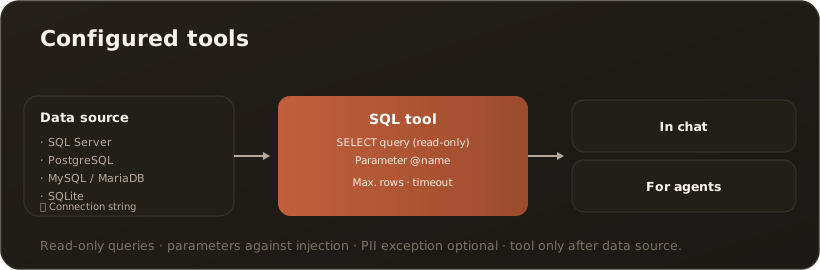
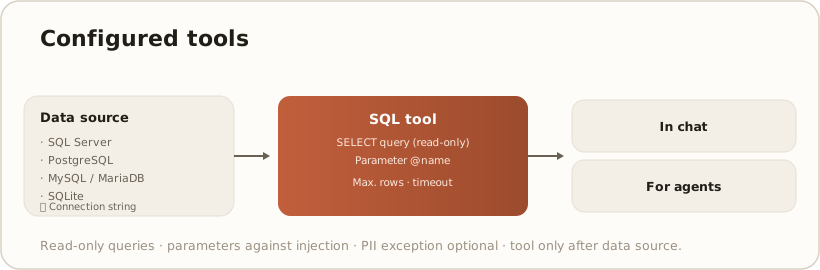
AdminA SQL data source makes business data available as an AI-callable tool: the assistant runs a fixed, parameterized query and receives the result as a table. You set this up in the Administration → Configured tools tab in two steps — first the connection, then the tool. For context see Configurable tools — overview.
Licence (Pro/Site): For the assistant to actually call a SQL tool, a Pro or Site licence is required (not Free). Setup and test run are possible in all editions. → License & edition model
Step 1 — create the data source (connection)
Section titled “Step 1 — create the data source (connection)”- In the Configured tools tab, create a new data source.
- Choose a name and database type — supported are SQL Server, PostgreSQL, MySQL/MariaDB and SQLite.
- Enter the connection string. It is stored AES-encrypted and masked when editing. → Environment variables & secrets
- Use Test connection to verify access, then set Active and save.
Step 2 — define the SQL tool
Section titled “Step 2 — define the SQL tool”A tool links a data source to exactly one query:
| Field | Meaning |
|---|---|
| Slug / display name | Technical identifier + a readable name. |
| Description | Tells the assistant when to use the tool. |
| Connection | The underlying data source from step 1. |
| SQL query | Read-only (SELECT/WITH), parameterized with @name. |
| Parameters | Name, type (string/integer/number/boolean), description, default, required. |
| Max rows / timeout | Limit result size and runtime. |
| In chat / for agents | Where the tool can be used. |
| PII exemption | Deliberately exempt results from the PII shield. → The PII shield |
| Trusted target | The query arguments are re-identified, so the database searches with real values. Don’t confuse it with the PII exemption: that one covers the results (inbound), this one the arguments (outbound). → Trusted targets (PII egress) |
Use Test run to check the tool before releasing it. Tools can only be created once at least one data source exists.
Security guarantees
Section titled “Security guarantees”- Read-only — triple-enforced. Only
SELECT/WITHqueries are allowed; every execution additionally runs inside a rollback transaction, so even a write that slipped through changes nothing. - Parameter binding only. Values reach the query exclusively via bound parameters — no string concatenation, no injection vector.
- Encrypted connection. The connection string is stored AES-encrypted.
- Admin-only. Creating and changing is reserved for administrators.
Note: This replaces the former article “Configured tools (SQL)” — the existing link still leads here.