Agents
AdminAgents (menu item Agents, route /agents) are configurable AI helpers that handle recurring tasks autonomously — for example screening inboxes or preparing content. The page is reserved for administrators. This reference describes the structure; the step-by-step setup is linked.
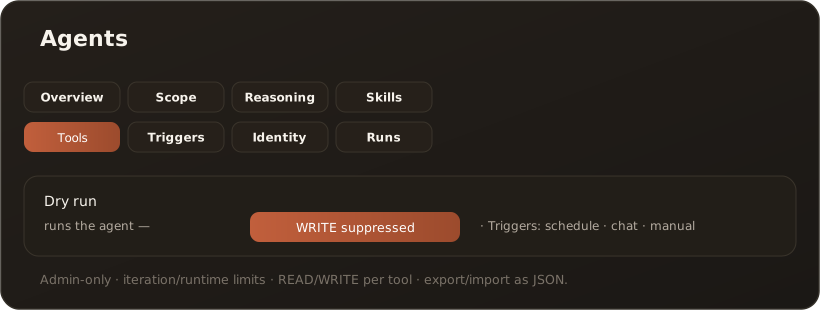
Eight configuration tabs
Section titled “Eight configuration tabs”An agent is defined in the detail editor across eight tabs:
- Overview — name, description, type, model, max. iterations/runtime, active toggle
- Scope — source (source adapter: vault, email, working folder, none; working folder desktop only), its scope and the storage target
- Reasoning — system prompt (role, goals, tone, limits), optional result schema (JSON)
- Skills — selection of the Skills the agent may use
- Tools — MCP and working-folder tools, each marked READ/WRITE
- Triggers — triggers: schedule (cron), chat message or manual
- Identity — run-as user (audit) and owner (access)
- Runs — history of past runs (mode, status, duration, tool count)
What agents can do
Section titled “What agents can do”- Autonomous runs with selected Skills and tools, bounded by iteration and runtime limits.
- Three triggers — scheduled (cron), by chat message or manual.
- Dry run — runs the agent but suppresses all writing tools and Process items one by one, because its runs are paid model calls (Tools: Process many files or mails one by one); ideal for safe testing. → Create an agent and test it with a dry run
- Chaining — one agent files into its storage target, the next processes every new file or mail in a run of its own and returns a JSON result. → Chain agents
- Export/import — back up and transfer agent definitions as JSON. Storage target, result schema and read state are not included.
Limits & notes
Section titled “Limits & notes”- Admin-only: the entire Agents page requires the Administrator role.
- Write warning: if an agent has a chat trigger and writing tools, any user can trigger write actions in the associated dialog — a banner points this out.
- Desktop: working-folder tools are only available in desktop mode; scheduled agents there only run while the app is open. Chat triggers require server mode. → Web vs. desktop
- Read content without a PII check: with PII protection on, an agent checks everything it reads for personal data. With many documents or mails this takes noticeable time. The switch “Do not check read content for personal data” (Overview tab, off by default) drops this check for that agent: the opening message (including a user’s message in a bot chat), mails and attachments, PDF and Office files, files from folders, KB articles, web pages and research passages then go to the model provider unchecked, and the run log and the audit hold them in clear text. The task (prompt) and CLI output are still checked. The run shows the note “Read content not checked for personal data”. The switch is not included in an export. In the chat, the PII shield in the header does the same job.
Related
Section titled “Related”- Agent model (source/Skill/tools/trigger/identity)
- Create an agent and test it with a dry run
- Chain agents
- MCP in both directions
- Research mode — uses a seeded research agent; without a model of its own it runs on the deployment default