Skills
UserSkills (menu item Skills, route /skills) are reusable instructions that teach the AI specialized abilities — from document templates to domain-specific workflows. This page is the catalog: here you see which Skills are available and what they do.
Interface
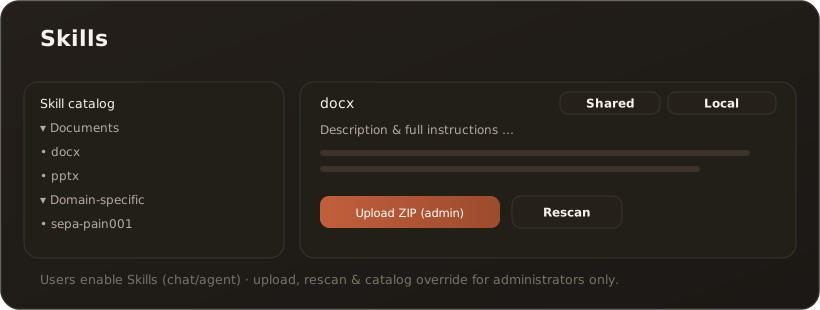
Section titled “Interface”On the left you browse the Skill tree; on the right the name, description and full instructions of the selected Skill appear. An origin chip shows whether a Skill comes from the shared (administratively configured) catalog or from a local source.
What the Skills page can do
Section titled “What the Skills page can do”- Browse the catalog — all available Skills, grouped by origin, with a full instruction view.
- Activate — Skills are activated per session in the chat (via the Skill selection) or per agent (the “Skills” tab). The AI reads the instructions on demand through tool calls. → Activate Skills and use them in the chat
- Reload without restart — administrators trigger a fresh catalog scan via Rescan.
Administration
Section titled “Administration”- Upload ZIP — administrators upload new Skills as
.zip; every valid folder containing aSKILL.mdbecomes a Skill (macOS__MACOSXfolders are ignored). → Upload new Skills via ZIP - Script skills — skills with their own Python script only run after an administrator approves them (desktop, macOS and Windows, Pro and up). → Script skills
- Catalog source — administrators can override the catalog locally or reset it to the shared default.
Limits & notes
Section titled “Limits & notes”- ZIP upload, rescan and catalog override are reserved for administrators.
- Local override of the catalog source is a desktop feature.
- Users activate Skills; they do not manage them.
Related
Section titled “Related”- Activate Skills and use them in the chat · Upload new Skills via ZIP
- Skills: Storage & Distribution — where Skills live per operating mode
- Chat · Agents