Single workstation, minimal (standalone desktop, BYO key)
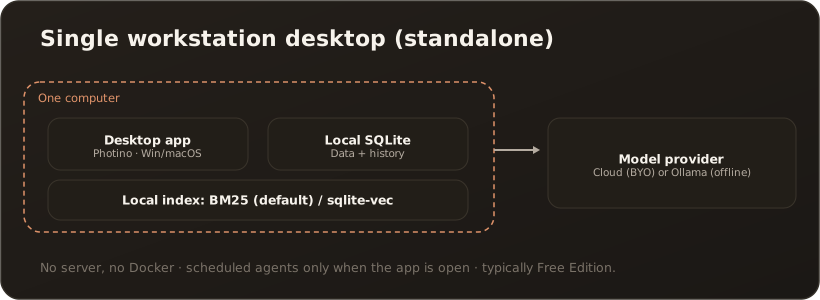
AdminThe leanest installation: CompanyWizard runs as a standalone desktop app on one machine — no server, no extra services. Ideal for a single person who wants to get started quickly and with minimal data footprint.
For whom
Section titled “For whom”Individual users; pilot operation; maximum data minimization (offline with a local model if you want).
Components
Section titled “Components”- Desktop app (Photino, Windows, macOS or Linux) with local SQLite.
- Search: without a vector service the lean BM25 full-text search kicks in (the default on a fresh install); with embeddings, sqlite-vec is possible. → Vaults & indexing
- Model access: your own API key (cloud) or a local model via Ollama (offline). → LLM API key
- PII detection: optional via Presidio; without a reachable Presidio no pseudonymization takes place. → Setting up Presidio
Steps (high level)
Section titled “Steps (high level)”- Install the desktop app (Windows setup, notarised macOS package or Linux package).
- On first launch, walk through the setup wizard (admin account, model access). → Installation & first launch
- Optional: add a local model (Ollama) for offline operation.
Prerequisites & limits
Section titled “Prerequisites & limits”- Windows 10+, macOS 13+ or Linux, no Docker needed. Details: System requirements
- No multi-user, no team messaging; scheduled agents only run while the app is open. → Web vs. desktop
- This variant typically corresponds to the Free edition. → License & edition model