Two deployment modes — web vs. desktop
AdminCompanyWizard comes in two operating modes — as a desktop app and as a web application. Both show the same interface; the difference lies underneath: where the application runs and which multi-user features are available.
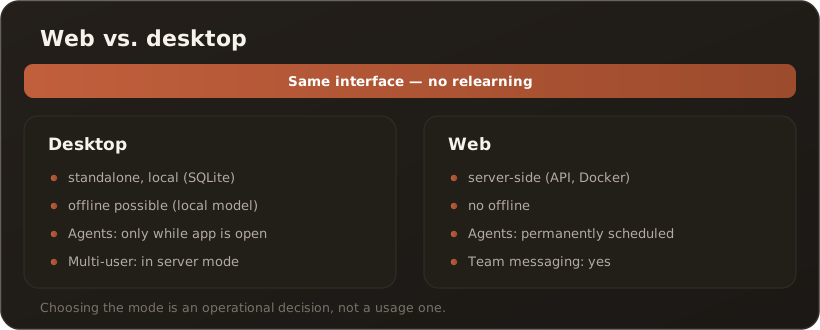
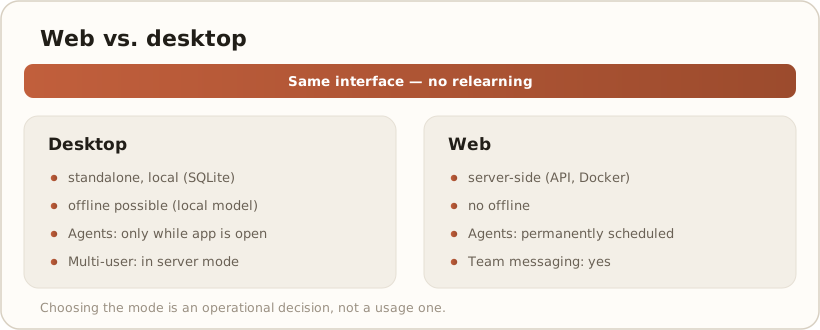
Desktop — standalone
Section titled “Desktop — standalone”The desktop app runs independently on the computer: local data storage (SQLite), direct AI calls, offline-capable with a local model. Ideal for the single workstation. Scheduled agents only run while the app is open. In server mode a desktop instance can also serve a small team. On the desktop only, end users can additionally create their own private vaults. → Create a private vault
Web — server-side
Section titled “Web — server-side”The web application runs in the browser against a central API (Docker/Aspire). Here continuously running, scheduled agents and team messaging are possible, and administration is centralized. You host the API yourself or evanto handles it dedicated for you.
Same interface, no relearning
Section titled “Same interface, no relearning”Because both modes use the same user interface, users switch with no training effort — e.g. from the Free single workstation (desktop) to the team web instance. Choosing the mode is an operational decision, not a usage one.
| Aspect | Desktop | Web |
|---|---|---|
| Operation | standalone, local | server-side (API) |
| Offline | possible (local model) | no |
| Scheduled agents | only while app is open | continuous |
| Team messaging | in server mode | yes |
Edition-dependent: server-side continuously running, scheduled agents require the Site edition — the operating mode alone does not unlock them. Team messaging is available from Pro onwards in desktop server mode, and with Site on the web. Details in the License & edition model.
Related
Section titled “Related”- License & edition model
- Reference: Installation scenarios