Where do I get an LLM API key?
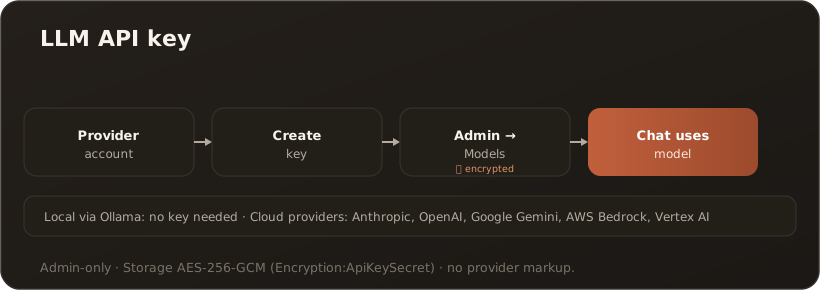
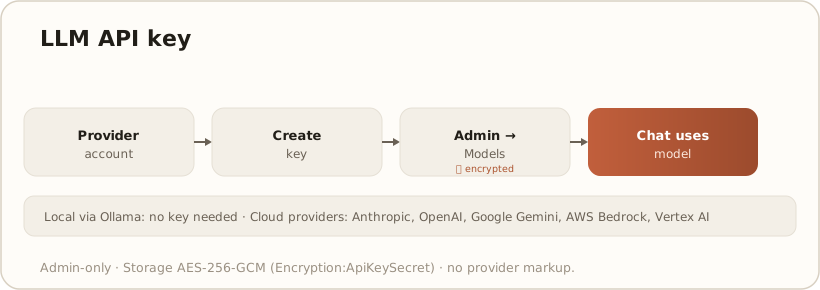
AdminCompanyWizard does not ship its own AI model; it uses your access (bring your own key). For cloud models you therefore need an API key from the respective provider; running locally via Ollama works entirely without a key.
Step 1 — create a key at the provider
Section titled “Step 1 — create a key at the provider”Create an API key in your provider’s account. Supported providers include Anthropic Claude, OpenAI, Google Gemini, AWS Bedrock and Vertex AI; for local models you use Ollama (no key needed). Some providers require additional details such as a region or project ID (AWS/Vertex), or a secret key.
Still unsure which provider fits your data-protection situation? → Which LLM provider should I choose? compares EU providers, US frontier, hyperscalers and aggregators as a properties matrix.
Step 2 — store the key in CompanyWizard
Section titled “Step 2 — store the key in CompanyWizard”In Administration → Models you create the vendor account — fastest via Quick add: enter the key, check with Test connection, apply the recommended models. One key per vendor is enough — the same account serves chat, embeddings, image generation and OCR, depending on the vendor. Details: AI models / providers.
Security
Section titled “Security”Keys are stored encrypted (AES-256-GCM) and never shown in clear text. The encryption is tied to the server secret Encryption:ApiKeySecret — if it is rotated, all keys have to be re-entered. → Environment variables & appsettings
Limits & notes
Section titled “Limits & notes”- Admin-only: providers and keys are managed only by the Administration.
- No provider markup: you pay the provider directly; CompanyWizard adds nothing on top. → Bring your own model
- Local/offline: with Ollama the chat runs without a cloud key.