Your first document in the knowledge base
UserThe knowledge base turns your own documents into the AI’s knowledge source. Instead of answering from the general internet, CompanyWizard then responds based on your content — with a source reference.
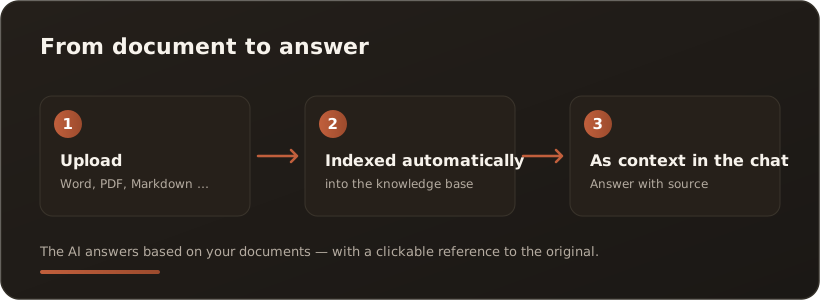
In three steps
Section titled “In three steps”- Upload — open the Knowledge Base and upload a document (Word, PDF, Markdown and more). Larger collections come in through the Import page.
- Indexed automatically — CompanyWizard processes the document and adds it to the knowledge base. This happens in the background.
- Use it in the chat — ask a question about it in the chat. The answer draws on your document and links back to the original passage.
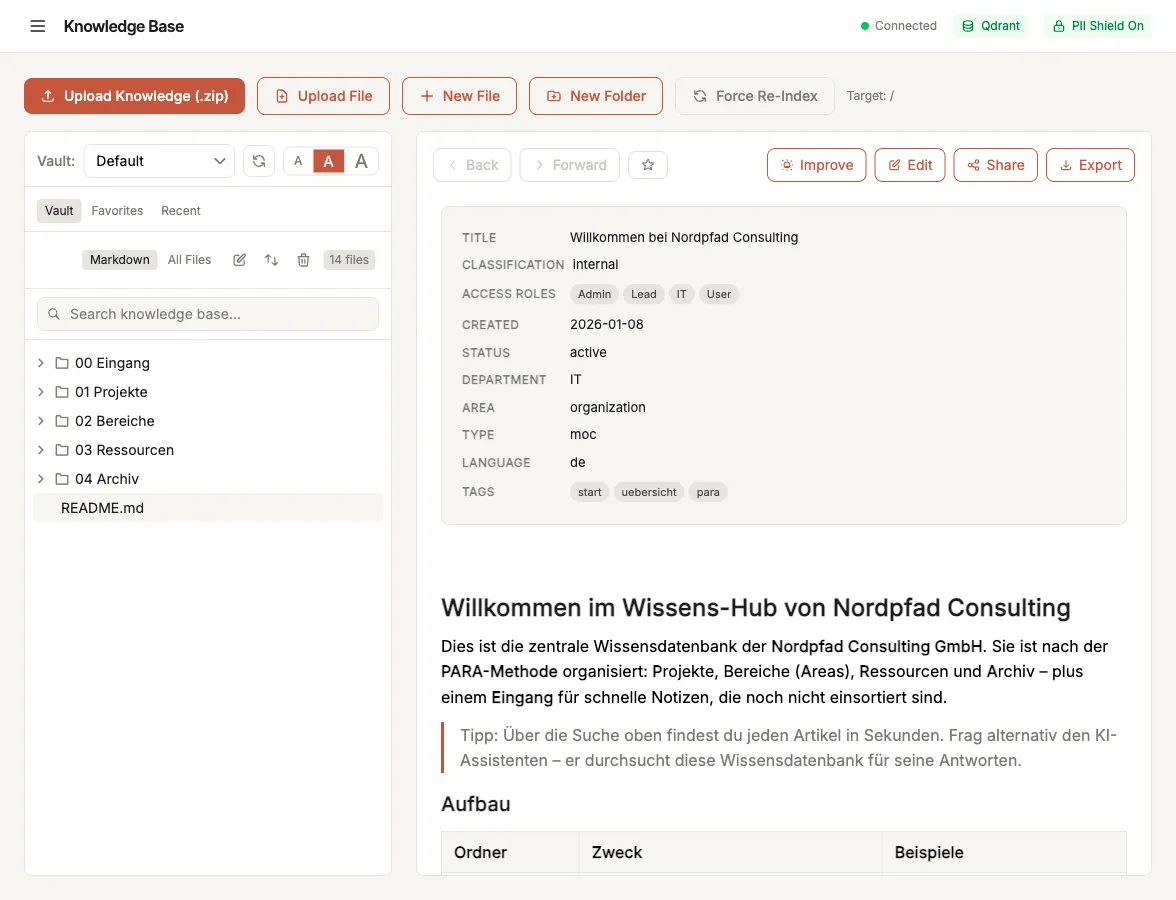
The Knowledge Base: upload actions at the top, the folder tree on the left, the document preview on the right.
Good to know
Section titled “Good to know”- Role-based access: documents carry a confidentiality level and a department/role assignment — only those allowed can see them.
- Multiple knowledge areas (vaults): separated by department, team or project; plus a personal area just for you.
- PII protection applies here too — content is protected before AI processing.
What’s next
Section titled “What’s next”- Try it with sample data — no data of your own yet? Two ready-made sample knowledge bases to import
- The interface at a glance
- Go deeper: Knowledge base & vaults (Concepts) and Importing (How-tos).