Upload new skills via ZIP
AdminSkills steer the AI’s answering behavior toward specific tasks. Admins provide new skills as a ZIP package — on the Skills page. After uploading, they are immediately available in chat and agents — except skills with their own Python script: their scripts need an approval first. → Script skills
Step by step
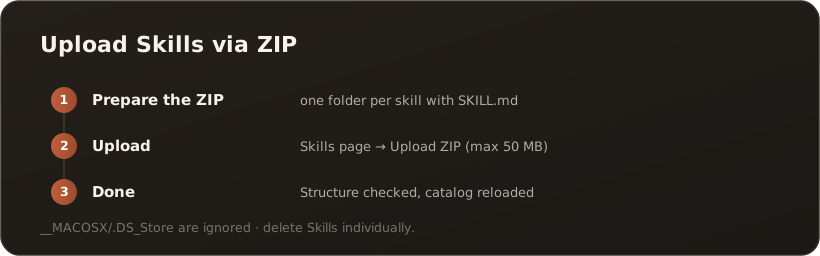
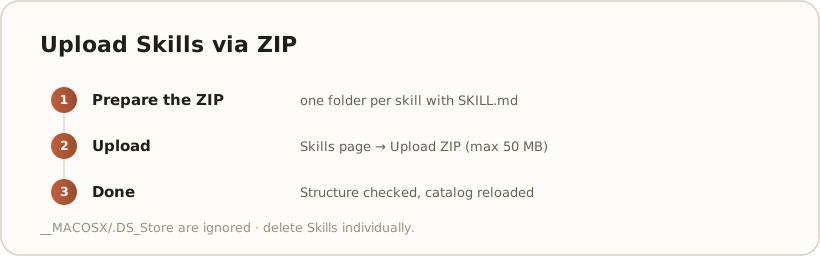
Section titled “Step by step”- Prepare the ZIP — pack one top-level folder per skill, containing a
SKILL.md(definition) plus any reference files. Multiple skills = multiple folders in one ZIP. - Upload — on the Skills page, choose Upload ZIP and select the
.zipfile. - Done — CompanyWizard checks the structure, adds the skills and reloads the catalog automatically (hot reload). A status message confirms success or shows errors.

On the Skills page, Upload skills (.zip) starts the upload.
Good to know
Section titled “Good to know”- Structure is mandatory: Each top-level folder must contain a
SKILL.md— if one folder lacks it, the whole ZIP is rejected (“These folders have no SKILL.md: … Nothing was imported.”). - macOS extras are ignored: The import automatically filters out
__MACOSXand.DS_Store. - Maximum size: up to 50 MB per ZIP.
- Remove: Skills you no longer need can be deleted individually.
What’s next
Section titled “What’s next”- Enable skills and use them in chat
- Go deeper: Features → Skills