Admin tab: Connections (peer server sync)
AdminThe Administration → Connections tab is used for configuration sync between a desktop instance in client mode and its paired peer server. It only appears in this constellation.
⚠️ Don’t confuse: This is about peer server configuration, not SQL database connections — those live in the Configured tools tab. Nor about the Connections section on the Models page (Confluence/X article) — those are import access, see AI models / providers.
What the tab shows
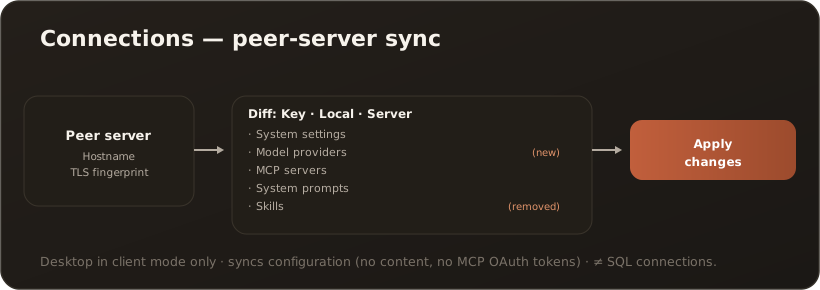
Section titled “What the tab shows”You see the paired host (hostname, certificate fingerprint) and can fetch and apply the server’s configuration.
- Refresh configuration — fetches the current state from the peer server.
- Apply changes — applies the displayed difference.
The diff is organized by areas — System settings, model providers, MCP servers, system prompts, Skills — with the columns Key · Local · Server and markers for (new) and (removed). A read-only list shows the Skills installed on the server.
Limits & notes
Section titled “Limits & notes”- Only visible on desktop in client mode (paired with a peer server).
- Configuration data is applied, not content (chats, knowledge documents) and no MCP OAuth tokens. → Peer sync / server mode
- Admin-only.