Skills: Storage & Distribution
AllA Skill is a folder with a SKILL.md (and optional files). These folders always live locally on the respective device — in the application’s Skills directory. On macOS that is ~/Library/Application Support/Evanto/CompanyWizard/skills; on the server side the Skills:FolderPath setting controls the location. Once you understand this, you know in every installation scenario where your Skills are and how to change them.
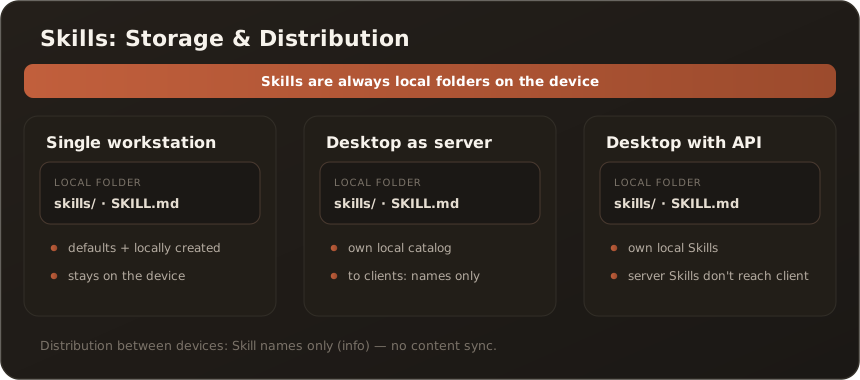
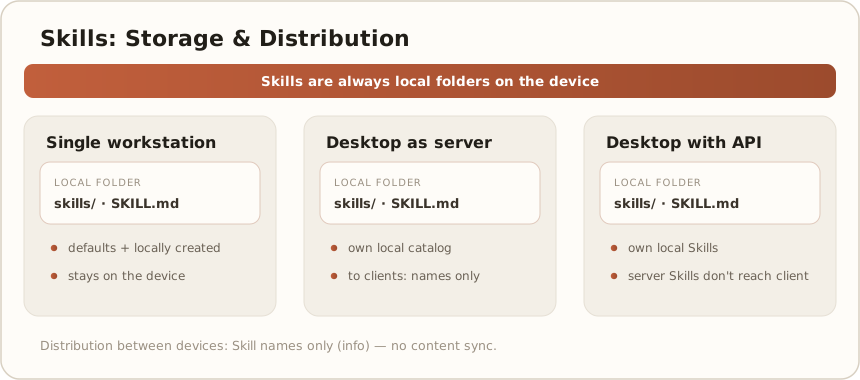
The bundled default Skills are copied once, on first launch of the desktop app, from the installation package into this directory — only while it is empty, and not over a server connection. New Skills are created via chat (creating them directly in the conversation) or through the admin interface (.zip upload, create, delete) and always land in the local directory. On desktop, creating Skills via chat is open to all users; on the web only to administrators.
The three operating modes
Section titled “The three operating modes”| Operating mode | Where the Skills live | How you change them | What is shared on connect |
|---|---|---|---|
| Single workstation | Local directory on the device | Chat or admin interface | — (no connection) |
| Desktop as server | Local directory on the server device | Chat or admin interface | Only Skill names to clients, no content |
| Desktop with API | Local directory on the client device | Chat or admin interface | Central server Skills do not reach the client |
Single workstation
Section titled “Single workstation”Your Skills consist of the installation defaults plus everything you create locally. Everything stays on the device — there is no sharing and no synchronization with others.
Desktop as server
Section titled “Desktop as server”The server device runs its own local catalog just like a single workstation. No Skill content is distributed to the connected clients — during pairing only Skill names are transferred as an informational display.
Desktop with API
Section titled “Desktop with API”The client uses its own local Skills. The central Skills of the API server do not reach the client, and locally created Skills remain device-specific.
Good to know — current limits: Locally created Skills are device-specific. There is no automatic central distribution to clients — on connect only Skill names are transferred for information. Skill management (upload, create, delete) always acts locally and is never forwarded to the connected server.
Related
Section titled “Related”- Skills — the catalog in the interface
- Activate Skills and use them in the chat · Upload new Skills via ZIP
- Two deployment modes — Web vs. Desktop