Admin tab: System settings / feature toggles
AdminThe Administration → System Settings tab is the central control panel: feature toggles and configuration areas for the connected services. Many settings point to their own articles for details.
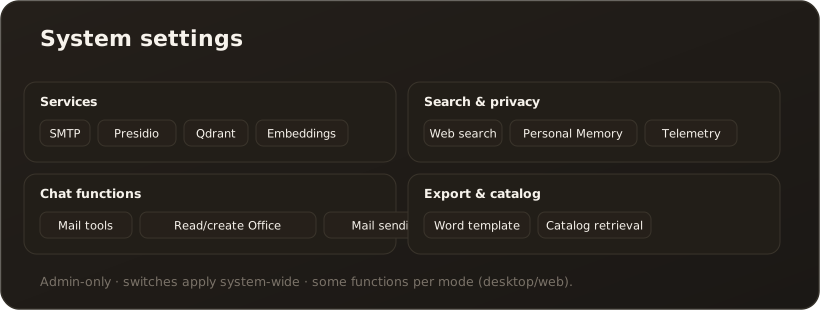
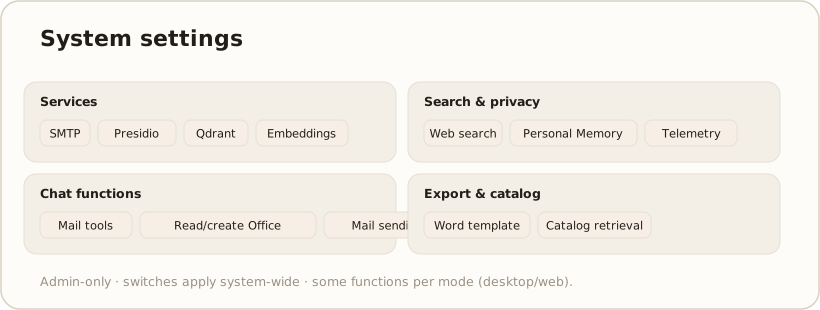
Individual cards with switches come first, followed by collapsible sections for the connected services. The buttons at the very top export and import the settings; on the desktop, “Open Logs Folder” also opens the folder with the log files.
| Card / switch | Content |
|---|---|
| Send diagnostic data via Sentry | Error and operational data to Sentry. Default: off — the switch is the consent. |
| Allow mail tools in chat | Email functions in chat (default: desktop on / web off). |
| Hybrid search (semantic + keyword) | BM25 keyword search in parallel with vector search, fused via RRF (chat RAG + knowledge search). Default: on; takes effect immediately per search without restart. → RAG & search |
| Markdown editor | Editor for knowledge base and import review (see below). → The switchable Markdown editor |
| LLM re-ranking of chat knowledge results (Pro) | Optional re-ranking of knowledge hits by an LLM, plus the Rerank candidate limit (default 12). → LLM re-ranking |
| Research engine | Candidate cap, evaluation parallelism and passage width for research mode. → Enabling research mode |
| Allow agent delegation in chat | The chat may hand tasks to agents (default: desktop on / web off). → Agent delegation |
| Allow research mode in chat | Unlocks research mode in chat (default: off). → Enabling research mode |
| Allow structural research selection | Extension of research mode (default: off). |
| Allow web research | Unlocks the Web chip in chat (default: off), plus the Web research model: an enabled chat model on an OpenAI provider with endpoint api.openai.com. The question goes to OpenAI (USA). If the chosen model is not usable, or only Managed-AI models are allowed, the chip stays hidden and the card shows a notice. → Web research · Enabling research mode |
| Allow reading / creating Office documents in chat | Two switches for Office interoperability (default: desktop on / web off). |
| Output folder for documents | Desktop only: the folder where generated documents are saved. |
| Update model catalog daily | Daily update of the model catalog (default: on); “Update now” triggers it right away, a table shows the status per kind. |
| Show cost per request in chat | Shows the cost of each response in chat (default: off). |
| Send email (notifications) | Recipient allowlist, “Allow sending from chat” (default: on) and an hourly send limit. An empty allowlist blocks all sending. |
Collapsible sections
Section titled “Collapsible sections”| Section | Content |
|---|---|
| SMTP (Email) | Sending for OTP sign-in and notifications – through an SMTP server or a Microsoft 365 mailbox. → Set up OTP |
| Presidio (PII Detection) | PII detection service. Also holds the switch “Allow users to switch the PII shield off for their own messages” (default: on) — unchecked, “PII Shield Off” disappears for everyone. → The PII shield · Set up Presidio |
| Trusted targets (PII egress) | Part of the Presidio section: read-only audit list of all targets that receive original PII instead of placeholders (MCP servers, tools, embedding providers — if embeddings run via the configuration, also “Embedding configuration”). Marking happens per target in the respective tab; only for the embedding configuration without a provider row does the switch sit here in the “Presidio (PII Detection)” section. → Trusted targets (PII egress) |
| Microsoft Graph / SharePoint | Connection to Microsoft 365 for SharePoint. → Set up Microsoft SharePoint |
| Qdrant (Vector Database) | Search backend. On the desktop you also pick the Vector backend here. → Set up Qdrant · Vaults & indexing |
| Embeddings | Pick the embedding model (from those created in Models); dimension from the model catalog (see below) |
| Web Search | Brave or Serper (optional in chat). → Set up web search |
| Document Export | Word template with bookmarks and PowerPoint template for exported presentations. → Add a Word template · Store a PowerPoint template |
| Personal Memory | Master switch “Enable Personal Memory (master switch)” (default: on), autonomous capture, token budgets and the template for the assistant persona. With the master switch off, neither the memory nor the users’ profile reaches the chat. → Personal Memory |
Embeddings
Section titled “Embeddings”In the Embeddings section you pick the active Embedding model from the embedding models created in Models; the dimension is pre-filled from the model catalog and stays editable.
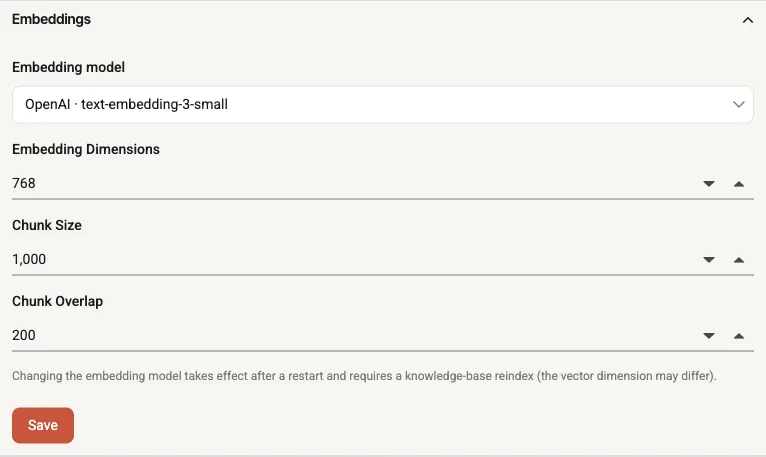
System settings → Embeddings: pick a model from the created embedding models; the dimension comes from the catalog.
The note below the field mentions a restart. That only applies if no vector store (Qdrant or sqlite-vec) was running at startup. If one is running, the change takes effect without a restart and CompanyWizard re-indexes the knowledge base automatically. If the dimension changes as well, the vector store is rebuilt; until that finishes, knowledge-base search returns no results.
Markdown editor
Section titled “Markdown editor”In the Markdown editor card you pick via dropdown which editor is used at the content locations (knowledge base incl. full-screen, import review): “Classic (Syncfusion)” (default), “Visual (Vditor)” or “Visual (Milkdown)”. The setting applies globally for all users and takes effect without a restart the next time an editor is opened. For the differences between the three editors, Vditor’s editing modes and Milkdown’s features see → The switchable Markdown editor
Limits & notes
Section titled “Limits & notes”- Admin-only. Changes take effect system-wide.
- The tab’s subtitle says changes require a restart. Many switches take effect immediately, though — the individual entries say where that is the case.
- Some functions differ by mode (desktop vs. web). → Web vs. Desktop
- Variable names for configuring via the environment: Environment variables & appsettings.