Switch the model per task
UserCompanyWizard can use several AI models from different providers. Via the model selector at the top of the chat you choose the model that fits the task at hand — the models differ in speed, capability and style.
Step by step
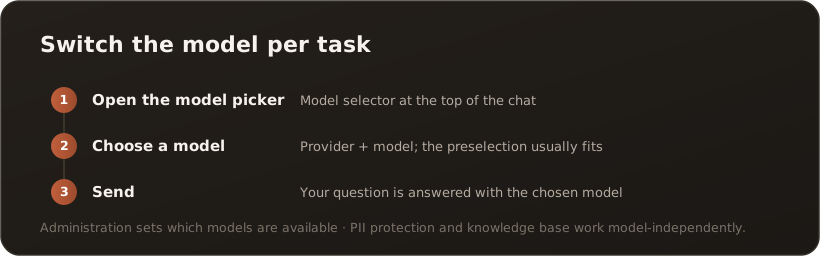
Section titled “Step by step”- Open the model selector — at the top of the chat, click the model selector (it shows the currently chosen model).
- Choose a model — pick a provider and model from the list. The preselection already fits most questions.
- Send — ask your question as usual. It is answered with the chosen model.
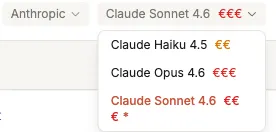
The opened model selector: on the left the provider, on the right the model list — the € symbols indicate the cost class.
Which model for what?
Section titled “Which model for what?”- Fast, simple tasks (short answers, wording help) — a faster, more cost-effective model is enough.
- Demanding tasks (complex analyses, longer texts, reasoning) — a more capable model delivers better results.
- Style & language — models from different providers phrase things differently; try out what fits your use case.
Note: Which models are available is set by your Administration (provider, key, default model). If you see only one model, that is exactly the one that has been enabled.
”Auto” with managed AI providers
Section titled “”Auto” with managed AI providers”If you pick a managed AI provider, the model list additionally contains an Auto entry — and Auto is the preselection there. Instead of pinning one model, Auto leaves the choice to the plan: it picks the appropriate capability level per message. You can switch to a concrete model from the list at any time; that choice then sticks until you change it again.
With bring-your-own-key providers the entry does not appear — there you always pick the model yourself.
Good to know
Section titled “Good to know”- The chosen model applies to the next message; you can switch at any time within a conversation.
- Regardless of the model, every request passes through PII protection (when switched on) and can access the knowledge base.
What’s next
Section titled “What’s next”- Enable skills and use them in chat
- Analyse a file in chat
- Go deeper: “Bring your own model” (Concepts)