Messaging
UserMessaging (menu item Messaging, route /messaging) brings team communication into CompanyWizard: one-to-one and group chats, sharing AI responses and knowledge articles, and 1:1 dialogues with agents. The feature is available from Pro onwards in desktop server mode, or with Site (web).
Interface
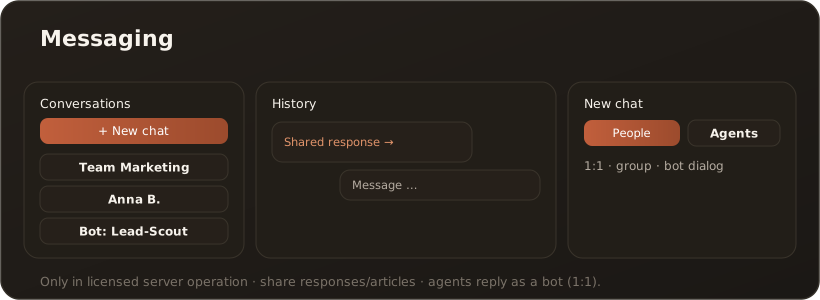
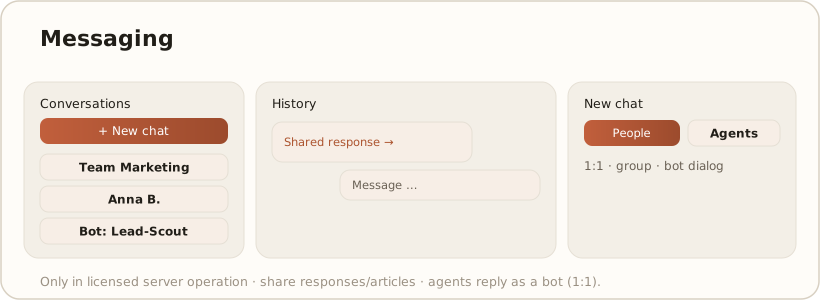
Section titled “Interface”On the right is the conversation list with search, unread markers and the ”+ New chat” button; its dialog has two tabs — People and Agents. In the main area you see the header, message history (text, attachments, shared responses), typing indicator and input line.
What Messaging can do
Section titled “What Messaging can do”- 1:1 and group chats between users, with persistent history.
- Sharing — pass on AI responses from the chat and knowledge articles as a message. → Share a response with colleagues
- Agents in a dialogue — an agent with a chat trigger answers as a bot in a conversation (a brief “Working …” acknowledgment, then the result). → Agent model
Limits & notes
Section titled “Limits & notes”- From Pro onwards: in the Free edition the menu item is hidden. Team chats with colleagues run in desktop server mode or with Site (web). → Web vs. desktop · License & edition model
- Bots in groups are currently not supported (1:1 only).
- A short cooldown applies per agent and conversation to avoid loops.