Help
UserThe Help (menu item Help) is CompanyWizard’s built-in documentation. It automatically opens the help area matching your language and uses the same reading interface as the Knowledge Base.
Interface
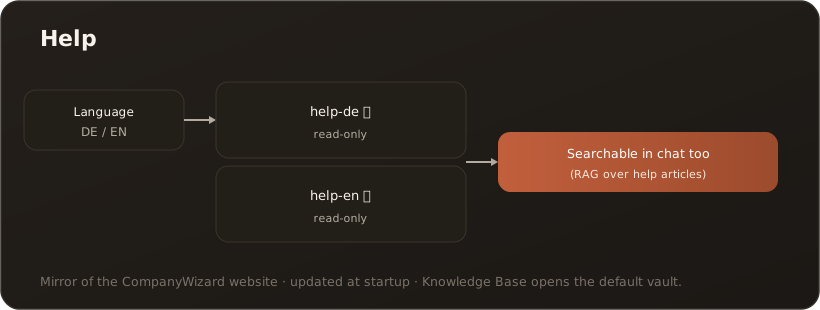
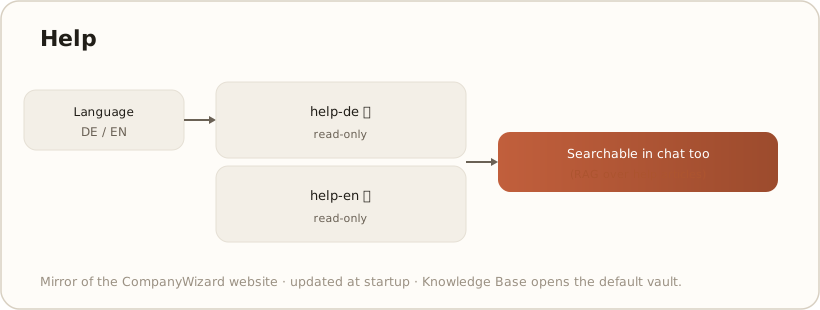
Section titled “Interface”The help lives in two read-only vaults — help-de and help-en. The Help menu item automatically selects the right one based on your language setting; you read the articles in the familiar knowledge reader, organized into areas such as Getting started, Chat, Skills, Knowledge base, Image Studio, Messaging and Administration.
What the Help can do
Section titled “What the Help can do”- Language-aware — German interface →
help-de, English →help-en. - Searchable in the chat — the help vaults are indexed; the AI answers questions about features with reference to the help articles (RAG). → RAG & search
- Cross-references — articles link to one another via
kb:references.
Origin & updates
Section titled “Origin & updates”The help is a mirror of the canonical CompanyWizard website documentation and ships with the application. When newer content is available, the area is updated at startup; local changes are overwritten in the process (read-only note).
Limits & notes
Section titled “Limits & notes”- Read-only: help content is not edited in the app; maintenance happens centrally on the website.
- The Knowledge Base menu item always opens the
defaultvault, Help the respective help vault.